
Select images
Choose the photos or images you want to include from your Android phone.
Image to PDF creates a PDF from the images you select on your Android phone. It is useful for photos, notes, receipts, and other pages stored as images.
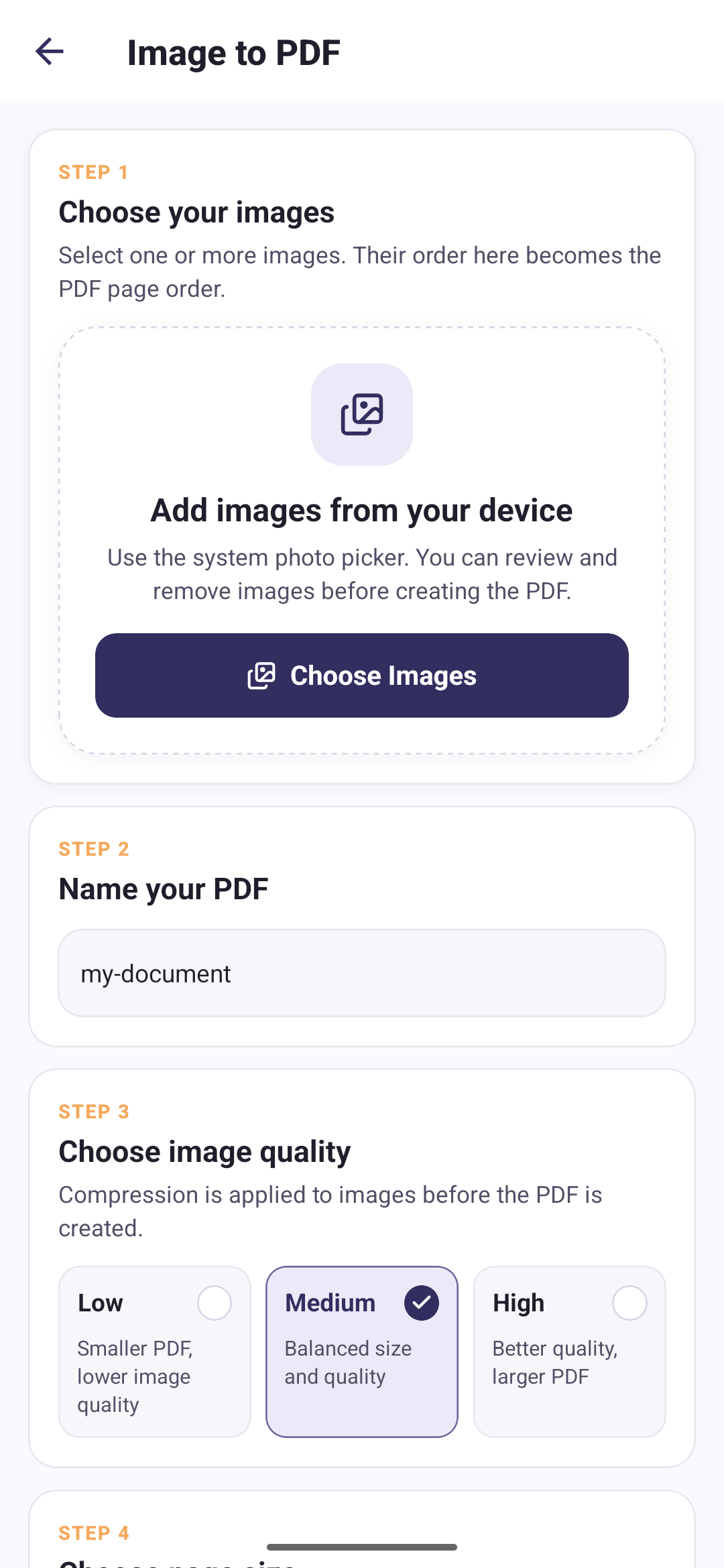
Choose the photos or images you want to include from your Android phone.
Select the quality and page size that suit the document you are creating.
Generate the PDF locally and keep it available for management or sharing.
These two settings decide how big the finished file turns out. Once the PDF exists, its details screen reports the size you actually got.
Use a lower quality setting when reducing the output size is the priority.
Use a balanced quality setting for common document tasks.
Use a higher quality setting when image detail is more important.
Create pages using the standard A4 document size.
Create pages using the standard Letter document size.
Fit each PDF page to the dimensions of its image.
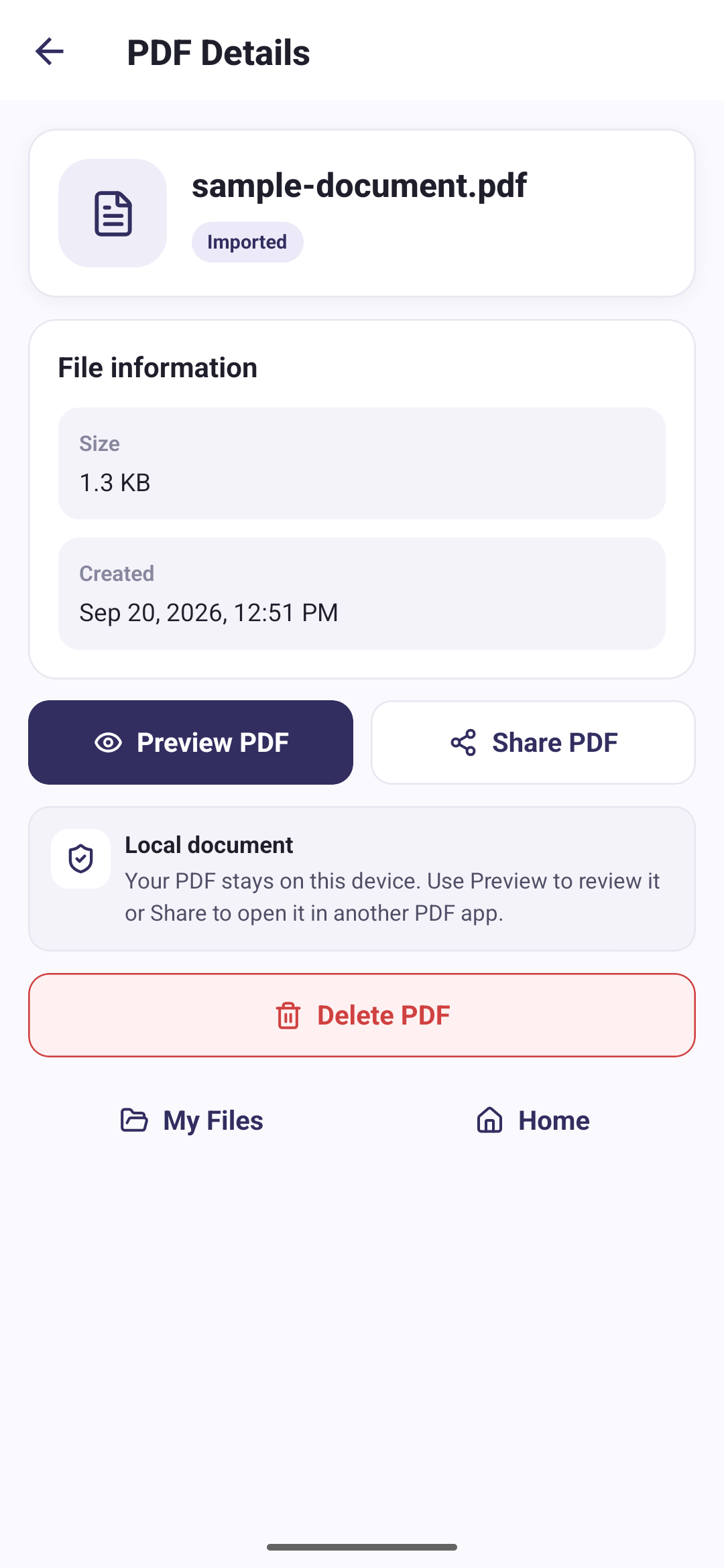
Your PDF files and conversion images are processed locally on your device. We do not upload them to any server.
Direct answers about this PDF Tools feature.
Yes. Image to PDF lets you select images from your Android phone and create a single PDF file.
You can choose Low, Medium, or High quality before creating the PDF.
Image to PDF supports A4, Letter, and Fit Image page size options.
No. Images and the resulting PDF are processed locally on your Android device.